5.30 SP1 Release (October 2025)
The 5.30 SP1 release contains numerous updates to Maytas and Maytas Hub and is packed with lots of useful features for all customers.
Release Notes
Maytas Main Features
PFR Reconcilers for 2025/26
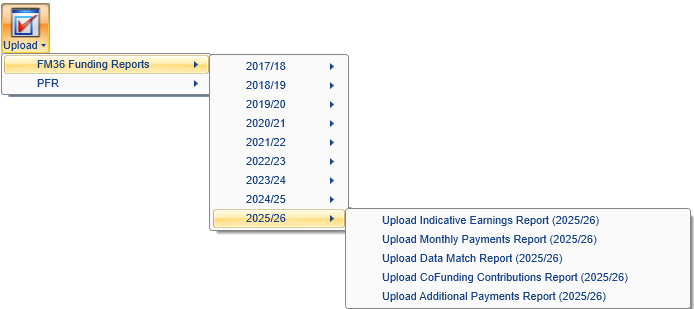
New PFR reconciler reports are now available to work with the 2025/26 PFR files. This year there are separate reports for funding models 35/38 (now referred to as Adult Skills), 36 and 81 to reflect the substantially different formats of each PFR. The reports work the same as in previous years.
Financial Planning for 2025/26
The Financial Planning module now supports plans for 2025/26.
Off-the-Job Training Updates
When the Planned Hours Overridefield was entered on the Off the Job Training tab, the OTJ Remaining Hours field was being calculated by subtracting OTJ activity from the Off the job calculator field, rather than from Planned Hours Override. This has now been corrected.
Additionally, when a POT has been restarted and the original learning start date is set on the programme aim or main aim, the Planned Hours Override on the restart POT will be taken from the original POT (if it was entered). The Off the Job Training tab will now also show the programme aim original learning start date in preference to the main aim.
Maytas Hub Main Features
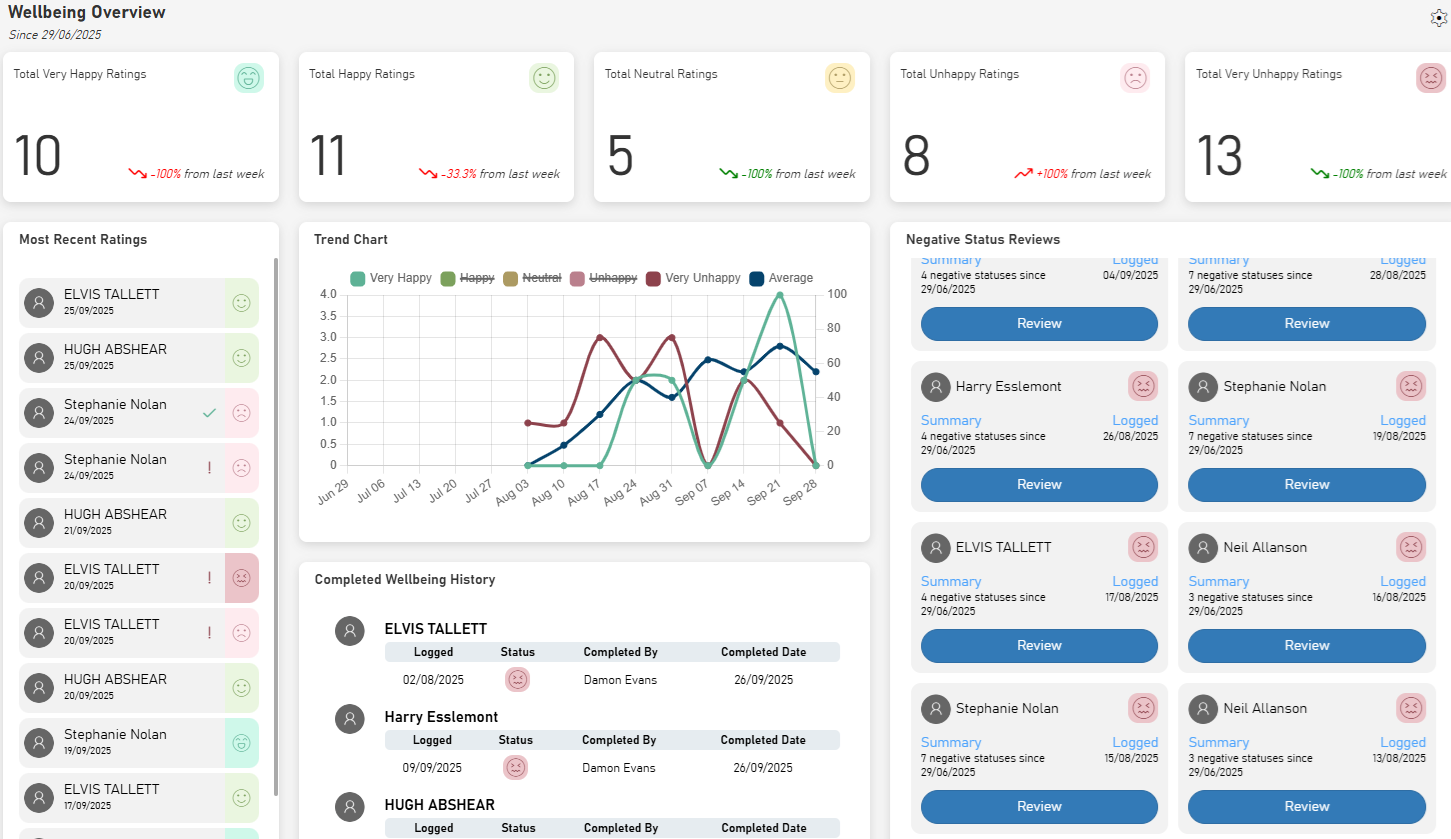
The Wellbeing screen for assessor users shows a summary of learner wellbeing information for an assessor's caseload. It also allows an assessor to review negative statuses submitted by their learners and record any action taken to resolve.
Wellbeing Follow Up
When a learner selects a negative wellbeing status and adds a note, Maytas Hub will now send a message and an email to their assessor so that they can follow up on the status.
Objectives Template - Select All
When setting up a template in the Module Editor and selecting the criteria to include, there is now a checkbox at the top of the criteria list which will select all criteria.
