5.31 Release (April 2026)
The 5.31 release contains numerous updates to Maytas and Maytas Hub and is packed with lots of useful features for all customers.
Release Notes
Maytas Main Features
Dynamic Forms - Multiple Visibility Values
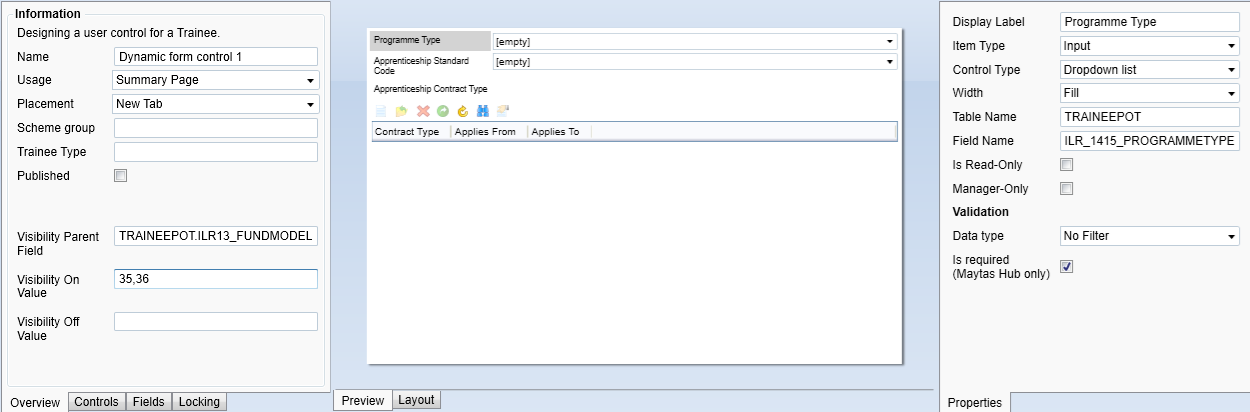
When creating dynamic forms in the Screen Designer for use in Maytas Hub, multiple values can now be entered in the Visibility On and Visibility Off fields to allow a control to be shown or hidden based on more than one field value. The values must be comma-separated (e.g. A,B,C).
Learner History Improvements
The Learner History tool will now only show one row for ILR validation, showing the last date the validation was run. A new row is still added to the database each time the validation is run so that the history of changes is recorded, but only the latest row is shown.
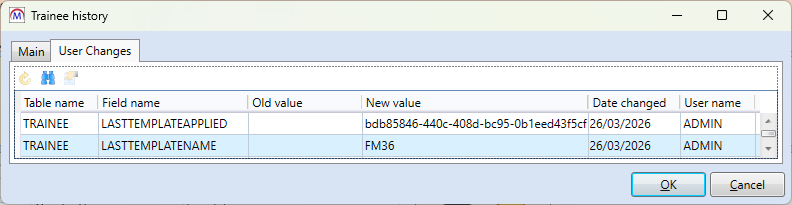
Additionally, the Learner History tool now includes a record of the last template that has been applied to a learner.
Description Field in Schema Editor
The Schema Editor now lets you optionally enter a description for a field to describe its purpose (e.g. for user-created fields).
Report Generator - Improved Field Search
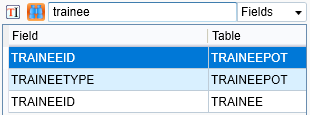
The field search tool in Report Generator has been improved so that it only looks at the field name, rather than the table name as well. For example, if you previously searched for trainee, it would have returned all fields where the table name contained trainee (such as TRAINEEPOT), whereas now it will only return fields where the name contains trainee.
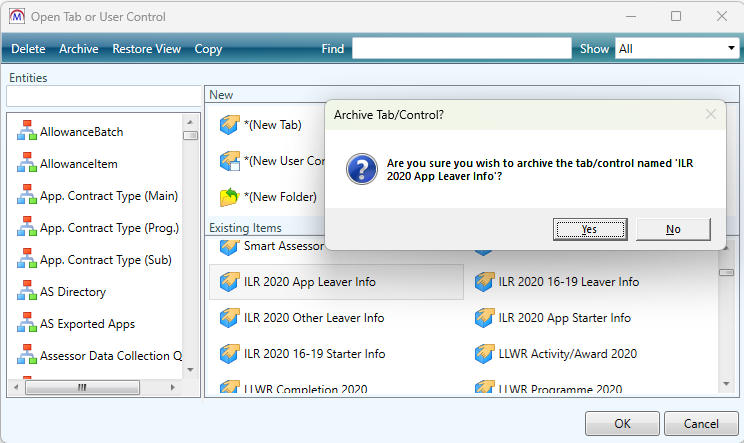
Archiving of Old Tabs and Controls
The Screen Designer now includes the ability to archive old tabs and controls, as well as the option to restore tabs and controls which have been archived. All standard ILR and LLWR tabs and controls from 2019 and earlier have been automatically archived.
Maytas Hub Main Features
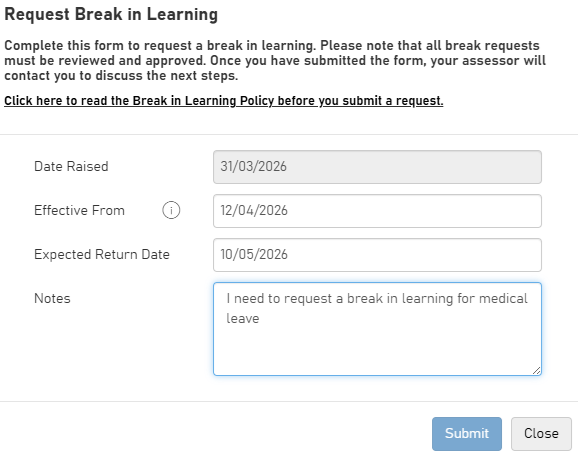
Break in Learning System
Maytas Hub has a new system which allows learners to request a break in learning and assessors to review their requests.
Skill Scan Improvements
Skill Scans can now include the option to add notes for each score.
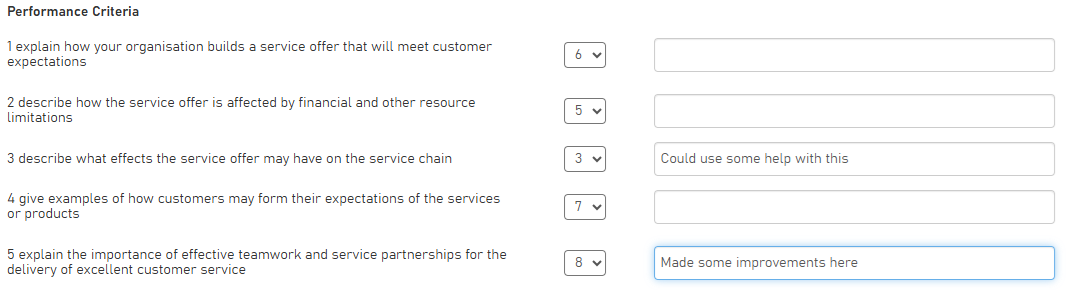
Additionally, users completing Skill Scans can now be given the option to upload evidence to support their scores.
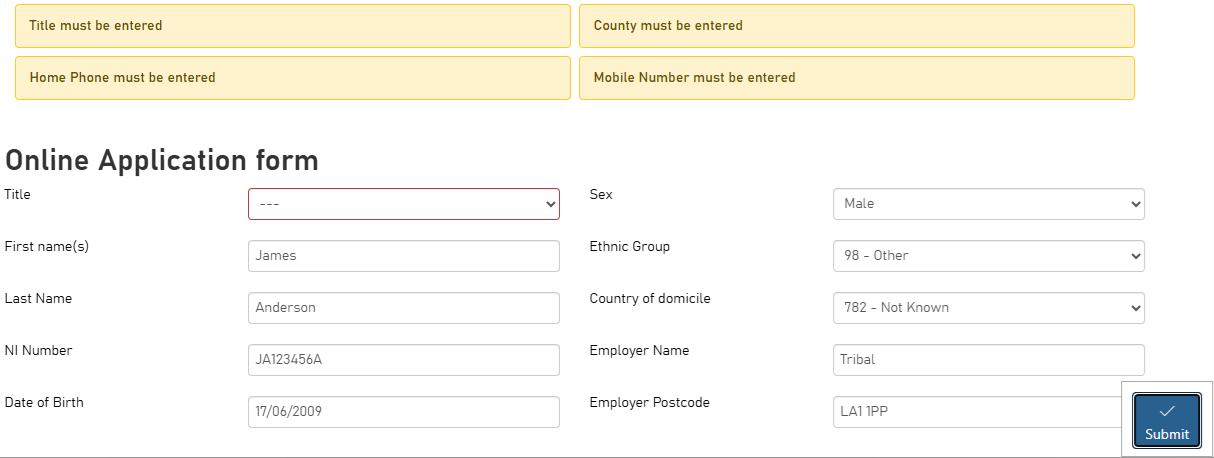
Application Form Validation Error / Warning List
A configuration option is available to make any validation errors or warnings for application forms appear at the top of the page, rather than as pop-up messages.
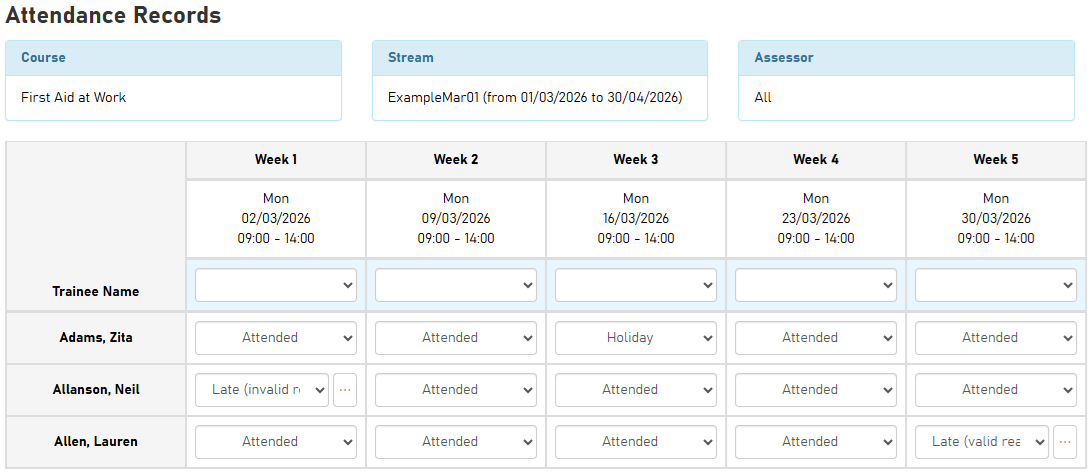
Course Attendance Improvements
The Course Attendance screen has been improved in several ways:
-
User interface improvements
-
Configurable late attendance statuses
-
Notes for late attendance statuses
Module Filter in Visits Learning Plan
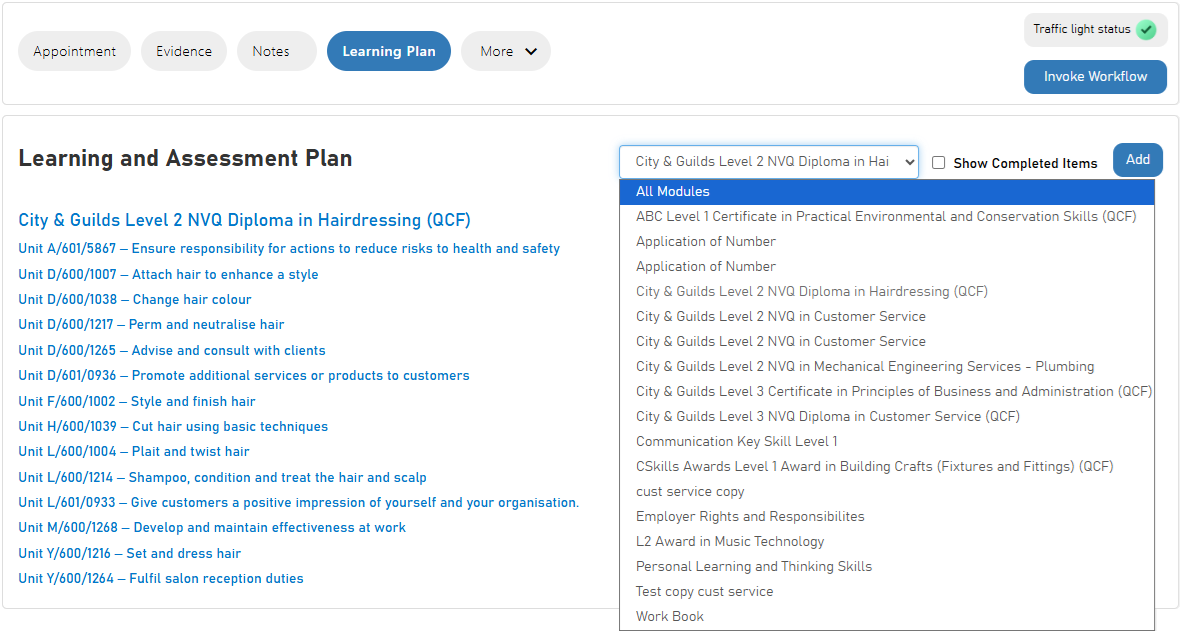
When editing a visit, the Learning Plan tab now has a module dropdown box that will filter the plan by the selected module.